
CT Insider
Hearst Newspapers - LLCNews & Magazines
4.093.00 Reviews
- Version
- 202608.28
- Installs
- 10.00K
- Age Rating
- Everyone
Screenshots
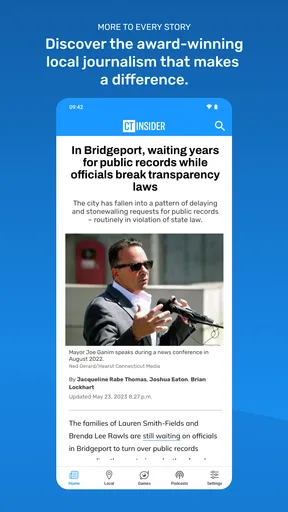

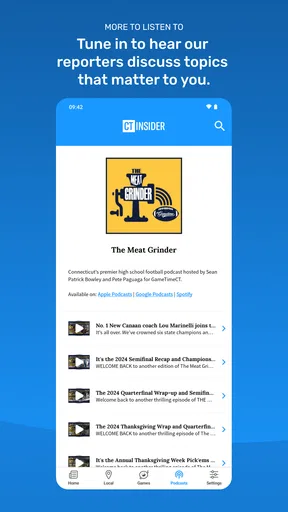
Our Review of CT Insider
 Analysis by Appyee
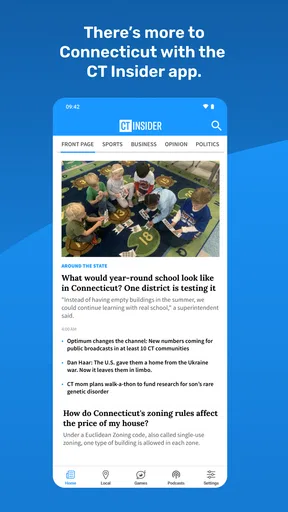
Keeping up with Connecticut news can be difficult when your attention, time, vision, hearing, or mobility changes from one situation to another. CT Insider takes a focused approach: it brings Connecticut reporting, sports, UConn coverage, weather, business, puzzles, and newspaper content into a free news and magazines app from Hearst Newspapers - LLC. I found its strongest quality to be its local focus. Rather than asking me to sort through a huge national feed, it gives Connecticut topics a clear place to start.
That focus also makes the app easier to judge honestly. It is not a replacement for every news source, and it is not designed to solve every accessibility need. Its value depends on whether Connecticut coverage is central to your daily routine, how comfortably you read on a phone, and whether the content available without an in-app purchase is enough for you. In my experience, it works best as a practical local-news companion, especially for readers who want one place to check headlines, weather, sports, and regional subjects without building their own collection of sources.
How CT Insider handles reading and navigation
I approach CT Insider as a focused local-news reader, so this section looks at how that emphasis can make it easier to choose a useful next step instead of browsing an undifferentiated stream. I also consider where a Connecticut-first feed helps and where it naturally leaves room for another source. The practical question is not how much content I can open, but how quickly I can find the information I came for.
A local starting point instead of an overwhelming national feed
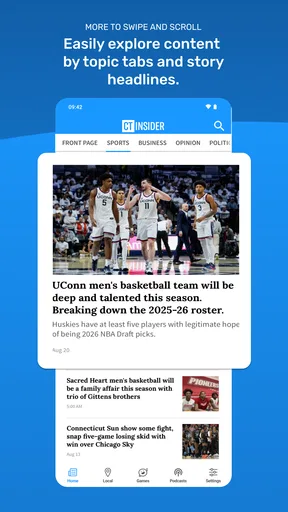
The app’s organization around Connecticut is useful for people who become tired or distracted when a news service presents too many unrelated choices. The subject mix is broad enough to support several routines: a quick morning scan of local developments, a check on UConn or other sports coverage, a look at business news, or a short puzzle break. That is more purposeful than opening a general news aggregator and repeatedly filtering out stories that do not matter to you.
I also like the way the app’s identity remains clear. The short description, “CT Insider,” is brief, but the actual editorial scope is more informative: Connecticut news sits alongside sports, UConn, weather, puzzles, newspapers, and business. That combination makes sense for a local reader who wants both serious updates and lighter daily reading. It also helps people who prefer predictable categories over an algorithmic stream that changes its priorities without explanation.
For readers with limited attention, I would use it in short passes rather than trying to consume everything. Check the main local stories first, move to weather if you are planning travel, and leave puzzles or longer newspaper reading for a quieter moment. This simple order reduces decision fatigue. It is one of the app’s practical strengths, even though it does not replace a personal accessibility setup such as larger system text, display magnification, or a screen reader.
Readability depends on the device and the reader
News apps can be comfortable for one person and tiring for another because articles combine headlines, images, controls, and changing blocks of content. CT Insider gives me a useful local reading environment, but I would not assume that every page will feel equally easy for every reader. People with low vision should test the app with their preferred system text size, contrast settings, and display zoom rather than judging it from the first screen alone.
A helpful workflow is to avoid reading long pieces while holding the phone at an awkward angle. I get better results when I place the device on a stand, increase the display size only as much as needed, and read in a quiet, evenly lit room. That is not a special feature of the app, but it matters because local news often becomes most useful when read quickly during a busy day. If enlarged text causes more scrolling than you can comfortably manage, a tablet or another reading method may be the better choice.
The content mix also affects readability. Headlines and weather information may be easy to scan, while newspaper-style material and longer business reporting demand more sustained focus. Someone who has difficulty with dense text should begin with short local updates and see whether the reading experience remains comfortable before committing to longer sessions. I would not treat the presence of puzzles as proof that every puzzle format will suit every user; the practical question is whether the controls and visual presentation feel manageable on your device.
Finding information without relying on memory
One non-obvious advantage of a topic-focused app is that it can reduce the mental work of remembering where a story belongs. If I want Connecticut business coverage, UConn news, or local weather, I already know the general reason I opened the app. That is useful for people who find broad menus confusing or who lose track when several news services present similar headlines.
At the same time, a focused source can become restrictive if your interests move beyond Connecticut. I would keep a general news app, a local radio source, or a newspaper from another region available if you need national or international context. CT Insider is strongest when it answers the question, “What is happening around Connecticut?” It is less suitable as the only source for someone who wants a complete picture of events elsewhere.
What the audience figures suggest, and what they do not
The app has a 4.0 average from around 211 ratings, with roughly 93 written reviews, and it has passed 10,000 installs. Those figures suggest a real but relatively modest user base rather than a universally dominant news platform. I see that as a reason to evaluate the experience personally, especially if accessibility is important to you: a general rating cannot tell you whether the text size, controls, pacing, or article layout work for your particular needs.
It is free to install and is rated for Everyone, which lowers the barrier for trying it with a family member or on a spare device. There are in-app purchases ranging from $7.99 to $14.99 per item, so I would check what a particular article or newspaper feature requires before assuming the complete experience is included. The free entry point is convenient, but the possibility of paid content means the app should be evaluated as a mix of accessible local discovery and optional deeper reading rather than as an unlimited free newspaper.
Using it with different abilities and in different situations
I turn to the everyday details that can make reading more or less comfortable: the device position, display settings, input method, and the amount of attention a session requires. Rather than assuming one setup works for everyone, I consider how to test a real story and weather check before relying on the app. That leads into the situations where its text-based local coverage can be useful, and where another format may be a better fit.
Motor considerations: reduce the number of steps
For people with hand tremors, joint pain, limited reach, or difficulty performing repeated taps, a news app is most useful when it supports a low-effort routine. CT Insider’s concentrated subject area helps because I do not need to jump among several unrelated services just to check local headlines and weather. I can open one app, choose the topic that matters, and stop when I have enough information.
My practical advice is to avoid rapid browsing. Use deliberate taps, keep the phone supported on a table, and give each page time to settle before trying another control. This is especially helpful when fatigue makes accidental selections more likely. If typing is uncomfortable, I would not build my routine around searching; I would begin with the app’s visible news areas and use the most direct path to the subject I check regularly.
People who use switch access, voice control, or other input methods should test their preferred setup with the app before depending on it for important updates. I cannot responsibly promise that every control will behave identically across every assistive-input configuration. The right test is simple: can you open the app, reach local news or weather, select a story, and return without needing precise gestures or repeated corrections? If that basic route is difficult, a browser, audio source, or another news provider may be more practical.
Sensory considerations: sound, vision, and attention
CT Insider is primarily valuable as a reading-based local news experience, so people who prefer visual information may find it a natural fit. Readers who are sensitive to motion, flashing elements, crowded screens, or constant updates should pay attention to how comfortable the app feels during a longer session. I would use it in a calm display environment and avoid combining it with several other notification-heavy services.
For blind or low-vision users, the decisive issue is not simply whether the app contains useful news. It is whether the operating system’s spoken feedback can identify the important controls and move through the article content in a sensible order. Because that experience can vary by device, operating-system version, and assistive technology, I would test a real article and a weather update rather than relying on the store’s Everyone rating. The app supports a broad general audience, but that age label should not be confused with a guarantee of full accessibility for every disability.
For readers with hearing loss, text-based local reporting is a natural advantage compared with a service that depends mainly on live audio or video. Weather and breaking-news habits can still be handled through reading, which makes the app potentially useful in quiet environments, public places, or situations where sound is unavailable. I would still keep another alert method for urgent information if timing is critical, because a news-reading app should not be treated as an emergency warning system.
People with cognitive disabilities, attention difficulties, or reading fatigue may benefit from setting a small goal: one local story, one weather check, or one sports update. The app’s range of subjects can be helpful, but it can also invite endless switching. I found that choosing the purpose before opening it made the experience calmer. That is a meaningful trade-off: CT Insider can reduce source-hopping, yet its variety still requires the reader to set boundaries.
A realistic everyday routine
Imagine starting a workday in Connecticut with only a few minutes before leaving home. I would open the app, check the local news area for developments that could affect the day, review weather before choosing clothing or transportation, and then glance at UConn or sports coverage if that is part of my routine. If I had more time later, I would return for business reporting or a newspaper-style article. This sequence keeps the app useful without demanding a long reading session.
For someone with limited energy, the same routine can be divided across the day. A family member could help set up the device with the preferred display size and place it in a stable position, while the reader handles only the topics they want. For someone commuting without reliable sound, the text-centered format may be more convenient than an audio briefing. For someone who needs national coverage, however, I would pair it with another source rather than expecting this app to cover every major event.
When the app is the right choice—and when it is not
I would recommend CT Insider to Connecticut residents who want local reporting organized around familiar regional interests. It makes particular sense for people who regularly follow weather, UConn, local sports, business, and newspaper content and would rather not maintain separate bookmarks for each subject. It is also a sensible trial for households looking for a free starting point that is appropriate for a general audience.
I would be more cautious if you need a fully audio-first experience, highly specialized accessibility controls, extensive national reporting, or a guaranteed no-cost path to every newspaper article. In those cases, a public radio app, a browser with your preferred accessibility tools, a dedicated screen-reader-friendly source, or a broader news aggregator may serve you better. The presence of optional purchases also means that readers should decide in advance whether they are comfortable paying for deeper content.
Remaining barriers before making it part of your routine
The biggest barrier is the gap between general availability and individual usability. Being free, rated Everyone, and available on devices running Android 9 or later makes the app approachable, but those facts do not tell me whether every reader will find the layout comfortable. Accessibility is personal: a person who reads easily on a phone may struggle with small controls, while another may prefer the compact format to a full newspaper website.
Another barrier is the need to manage expectations around paid content. If you use the app mainly for headlines, local awareness, weather, and occasional sports updates, the free download may be enough to establish its value. If your goal is regular newspaper reading or access to every long-form item, investigate the purchase prompt at the moment it appears and decide whether the cost fits your reading habits. The individual purchase range runs from $7.99 to $14.99, so this is worth considering before you treat the app as your sole newspaper subscription.
Version 202608.28 shows that the app is maintained as a current product, but a version number by itself does not answer accessibility questions. I would update it through the normal app-store process, then retest the actions that matter to you: opening a local story, adjusting your reading position, returning to the topic list, and checking weather. Updates can improve an experience, but they can also change familiar navigation, so users who depend on a carefully learned routine should take a moment to confirm that it still works.
Privacy and notification preferences are also part of an inclusive routine, even though they are easy to overlook. A reader who is easily interrupted may want fewer prompts and a reader who relies on timely local information may prefer more visible updates. I would configure the phone around the person’s actual needs rather than leaving every setting at its default. If alerts create stress or confusion, opening the app at planned times can be a better approach than reacting to every interruption.
My inclusive verdict
After using CT Insider as a Connecticut-focused news companion, I see a useful balance between local breadth and a manageable starting point. Its coverage areas make sense together, and the free installation makes experimentation easy. The app is most valuable when I want regional information quickly, especially weather, local news, sports, UConn, or business coverage, without first sorting through a national feed.
My main recommendation is to test the complete reading routine, not just the first screen. Check how comfortably you can reach a story, read it with your preferred display or assistive settings, return to the topic list, and decide whether the available content meets your needs before considering an in-app purchase. That approach is particularly important for readers with low vision, motor limitations, hearing loss, cognitive fatigue, or changing energy levels.
Overall, I would recommend it to readers who want a practical local-news home base and are comfortable supplementing it when they need broader coverage or a different accessibility format. I would not present it as a universal solution for every ability or every news habit. Its best quality is its Connecticut focus; its main limitation is that a focused mobile news app still cannot replace the flexibility of a browser, an audio service, or a source designed around a specific assistive technology. For the right reader, though, CT Insider is a straightforward way to make local information part of a more manageable daily routine.
Verdict
Strengths of CT Insider
- Covers Connecticut news, politics, business, sports, and local communities.
- Offers reporting focused on stories that larger national outlets may overlook.
- Clean, readable interface makes browsing recent articles straightforward.
- Useful for staying informed about regional events and public issues.
- Supports quick access to breaking news and developing local stories.
Limitations of CT Insider
- Much of the strongest content may require a paid subscription.
- Coverage is limited mainly to Connecticut and nearby regional topics.
- Some articles may load slowly depending on connection or ad content.
- Push notifications can feel frequent if many news alerts are enabled.
- The app may offer fewer multimedia features than larger news platforms.
Other Releases by Hearst Newspapers - LLC
View All
Houston Chronicle
News & Magazines4.3

The San Francisco Chronicle
News & Magazines4.0

Austin American-Statesman
News & Magazines3.1

San Antonio Express-News
News & Magazines4.1
Similar Picks in This Category
View All
Google News - Daily Headlines
Google LLC4.0

X
X Corp.4.8

Flipboard:Your Social Magazine
Flipboard3.4

Opera News: breaking & local
Opera4.5

Hindi News by Dainik Bhaskar
Dainik Bhaskar Group4.0

Way2News Daily News App
Way2News ( Formerly Way2SMS )4.6
Frequently Asked Questions
What is CT Insider, and what type of content does it offer?
CT Insider is a digital news platform focused on Connecticut. It brings together local reporting, breaking news, politics, business, education, sports, culture, food, and lifestyle coverage. After exploring the app, users can expect a mixture of quick updates and longer articles from regional journalists. It is designed for readers who want Connecticut-focused information rather than a general national news application.
Is CT Insider free to download and use?
The CT Insider app can generally be downloaded without an upfront charge, but access to all content may depend on the publication’s subscription model. Some articles or features may be available to everyone, while premium stories can require a subscription or account. Before downloading, check the current pricing, trial terms, and renewal conditions listed in the App Store or Google Play.
Does CT Insider require a subscription to read articles?
A subscription may be required for unlimited access to certain CT Insider articles, especially premium or subscriber-only journalism. The exact number of free articles and available features can change over time. If you regularly follow Connecticut news, a subscription may provide better value, while occasional readers should review the access limits and paywall details before committing.
Can I customize news notifications in CT Insider?
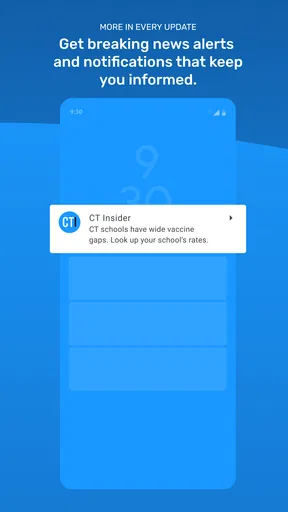
CT Insider may use notifications to alert readers about breaking news, important Connecticut developments, and updates in selected topics. Notification availability and customization options can vary depending on the app version and device. After installation, review the app’s notification settings and your phone’s system permissions so you can receive useful alerts without being overwhelmed by messages.
Is CT Insider suitable for readers outside Connecticut?
CT Insider is primarily intended for people who live in Connecticut, have family or business interests there, or want to follow the state closely. Readers outside the region can still use it to understand local politics, communities, schools, sports, and events. However, users seeking broad national or international coverage may need to combine it with another news app.
